
PhotoRobot Steuerungssystem - Übersicht für Systemangebote
Die folgende Übersicht über das PhotoRobot-Steuerungssystem soll Kunden dabei unterstützen, ihr PhotoRobot-Systemangebot zu verstehen. Hier finden Sie die verschiedenen Generationen der PhotoRobot Control Unit, grundlegende Funktionen des Geräts und technische Ressourcen für IT-Teams. Dies beinhaltet allgemeine Informationen zur Identifizierung und Einrichtung von Steuerungseinheiten im lokalen Netzwerk.
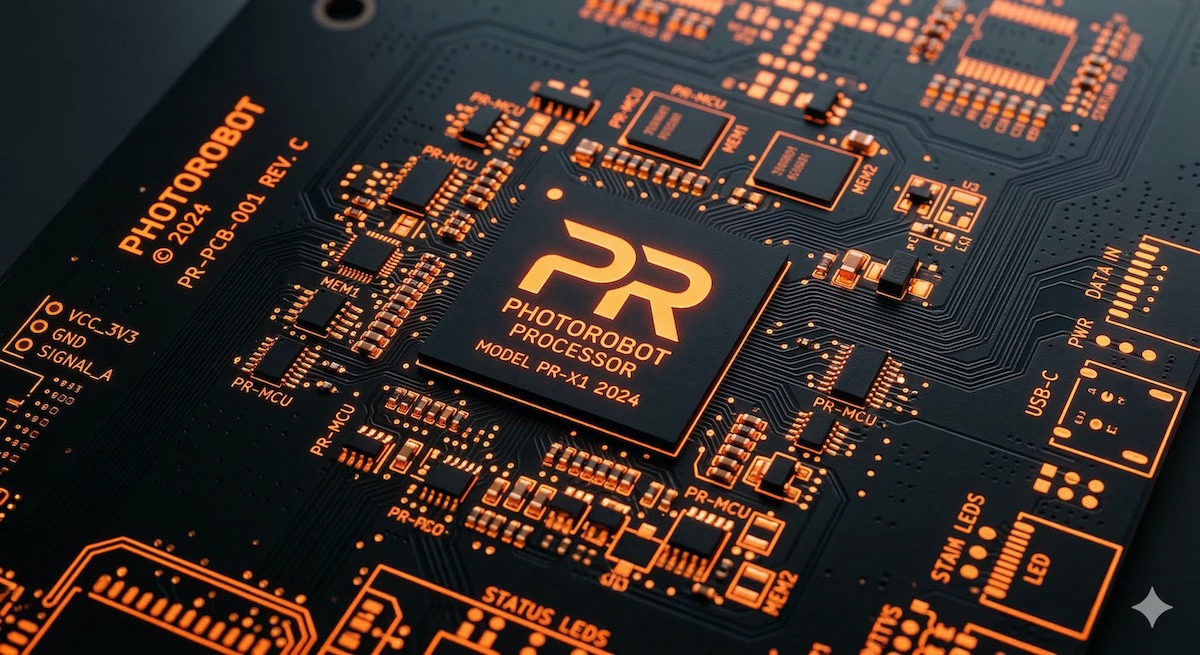
Hinweis: Für detaillierte Informationen zur Unterstützung von IT-Teams, siehe PhotoRobot Control Units Technische Dokumentation.
Leistungsstarke, integrierte Steuerungssysteme
Jeder PhotoRobot verfügt über eine Steuereinheit, die entweder in das Gerät eingebaut ist (wie bei den mobilen Arbeitsstationen CASE 850) oder als eigenständige Einheit (z.B. in einem 19-Zoll-HD-Rack-Gehäuse) vorliegt.
- Der Hauptvorteil der eigenständigen Steuereinheit ist, dass Kunden eine Reihe von Aufgaben problemlos ohne die physische Anwesenheit eines PhotoRobot Servicetechnikers ausführen können. Dies umfasst Fälle, in denen ein Austausch, eine Wartung oder ein Upgrade der Steuereinheit erforderlich ist.
- Zusätzlich funktioniert das Design des gesamten Systems über LAN (im Gegensatz zu einfacheren USB-basierten Systemen), was eine einfache Montage und Verwaltung großer Arbeitsplätze ermöglicht.
Bis heute sind die aktiven Versionen der PhotoRobot Steuereinheit die G7 (2020 - heute), die M-Serie (2023 - heute) und die integrierte Steuereinheit für den CASE (2017 - heute). Die G5 (2013 - 2015) hat ihr End-of-Life erreicht, während die G6 (2015 - 2020) inzwischen veraltet ist.
Neue externe Steuerungseinheiten im 19"-Rack-Format (2U) werden über Kabel verbunden. Das bedeutet, dass der Roboter unmittelbar nach dem Anschluss die fortschrittlichsten Funktionen ausführen kann.
Ab der 6. Generation der Steuerungseinheiten (G6) ist das Linux-basierte PhotoRobot OS das Echtzeit-Betriebssystem, das hervorragende Leistung und Stabilität ermöglicht. Der integrierte Webserver bietet Überwachungs-, Diagnosewerkzeuge und grundlegende Steuerungsbewegungsfunktionen.
Hinweis: Die Steuereinheit ist in den PhotoRobot CASE 850, den C850 & C1300, Cube Compact und den Frame integriert. In einigen Fällen kann dies ältere Versionen der Steuereinheit (G5 oder G6) anstelle der neuesten Steuereinheit G7 umfassen.
Grundfunktionen der Steuereinheit
Die grundlegenden Funktionen der PhotoRobot Steuereinheit sind wie folgt.
- Echtzeitsteuerung und Diagnose der Maschine (unter Verwendung eines speziellen Echtzeit-Linux-Betriebssystems, das ausschließlich für diesen Zweck zusammengestellt wurde)
- Leistungsstarker Prozessor (AM335x 1GHz ARM® Cortex-A8)
- Direkte Robotersteuerung über eine Website (Embedded Server) - Keine übergeordnete Anwendung erforderlich (z.B. PhotoRobot _Controls)
- LAN-Einrichtung (Statische und dynamische IP-Adressen)
- Diagnosewerkzeuge:
- LAN-Qualitätsdiagnose
- Überprüfung auf doppelte IP-Adressen im Netzwerk
- Diagnose des Geräts selbst, Überprüfung der Betriebstemperatur, Schwankungen der Netzstromversorgung usw.
- Aktivierung von Lizenzen
- Firmware-Aktualisierungen
- Service-Schnittstelle
- Zugang zum Ferndiagnosesystem
- Cloud API mit PhotoRobot _Controls (für die Integration in Kundensysteme, falls eine eigene Steuerungssystem-Oberstruktur des Kunden erforderlich ist)
Hinweis: Aktuelle und detaillierte Informationen zu den grundlegenden Funktionen des Steuerungssystems finden Sie in der technischen Dokumentation zu PhotoRobot Steuereinheiten.
Eigenfertigung von Steuerungssystemen
Das Steuerungssystem ist eine Schlüsselkomponente jedes Roboters, daher verwendet PhotoRobot ausschließlich im eigenen Haus gefertigte Steuerungssysteme. Dies ermöglicht eine vollständige Kontrolle über deren Design. Gleichzeitig arbeitet die Robotersteuerung dank PhotoRobot, das alles direkt entwirft und produziert – Komponenten präzise auf die von ihnen ausgeführten Prozesse zuschneidet – optimal mit übergeordneter Software, auf einem Computer oder in der Cloud.
Gleichzeitig verwaltet PhotoRobot die API auf allen Ebenen rigoros. Das Cloud-System verfügt über eine API zur einfachen Integration mit anderen Systemen des Kunden, und die Steuerung des Roboters verfügt ebenfalls über eine API zur Integration mit Drittsystemen. Dieses moderne Konzept ermöglicht es Kunden, selbst sehr komplexe Integrationen zu implementieren.
Hinweis: Informationen auf technischer Ebene zu den wesentlichen Merkmalen des PhotoRobot Steuerungssystems finden Sie in der PhotoRobot Control Units Technical Documentation.
Konnektivität der Steuereinheit
PhotoRobot Steuerungseinheiten sind ausschließlich über ein LAN-Netzwerk miteinander verbunden. USB- und ähnliche Lösungen können im größeren Maßstab nicht zuverlässig eingesetzt werden, während LAN-basierte Lösungen die Anforderungen eines kleinen Studios mit einem Roboter oder großer Unternehmen, die mehr als 200 ROBOTIC Arbeitsbereiche in einem Cluster betreiben, abdecken können.
Ein integrierter Webserver (der auf der IP-Adresse des Geräts läuft) bietet Zugriff auf das Steuerungssystem des Geräts (Updates, Service, Überwachung).
Zusätzlich ist es möglich, die Steuerungseinheit mit der PhotoRobot Locator Anwendung zu lokalisieren und zu verwalten. Die PhotoRobot Locator App ist direkt in die PhotoRobot Controls App (CAPP) integriert, um die Suche und Identifizierung von Steuerungseinheiten im Netzwerk zu erleichtern.
Wenn ein mobiles Gerät mit demselben Computernetzwerk wie die Steuereinheit verbunden ist, sucht die Anwendung nach allen verfügbaren Controllern, zeigt deren IP-Adressen und MAC-Adressen an und ermöglicht eine spezifische Einheitsauthentifizierung (es ist möglich, das Bedienfeld der Steuereinheit blinken zu lassen, um die jeweilige Einheit zu identifizieren).
Es ist dann möglich, direkt aus der Anwendung auf die Weboberfläche der Steuereinheit zuzugreifen und die Funktionen des integrierten Webservers zu steuern.
Hinweis: Falls ein externer Download der Locator-App erforderlich ist, ist diese auch für den direkten iOS-Download in den PhotoRobot Account Downloads verfügbar.
Technische Ressourcen zur PhotoRobot Steuerungseinheit
Um die technischen Eigenschaften der neuesten Versionen der PhotoRobot-Steuerungssysteme zu bewerten, verweisen Sie Ihre IT-Teams auf die PhotoRobot Control Units Technical Documentation.


EOS Rebel Serie


EOS DSLR-Serie


EOS M spiegellose Serie


PowerShot-Serie


Nahaufnahme / Handheld

Die Canon EOS Rebel Serie bietet einsteigerfreundliche DSLR-Kameras mit solider Bildqualität, intuitiver Bedienung und vielseitigen Funktionen. Diese Kameras sind ideal für Fotografie-Enthusiasten und bieten zuverlässigen Autofokus, dreh- und schwenkbare Touchscreens sowie Full HD- oder 4K-Videoaufnahmen.
Verbindung
Auflösung (MP)
Auflösung
Die Canon EOS DSLR-Serie bietet hochwertige Bilder, einen schnellen Autofokus und Vielseitigkeit und ist damit ideal für die Fotografie und Videoproduktion.
Verbindung
Auflösung (MP)
Auflösung
Die spiegellose Canon EOS M Serie kombiniert kompaktes Design mit DSLR-ähnlicher Leistung. Mit austauschbaren Objektiven, schnellem Autofokus und hochwertigen Bildsensoren eignen sich diese Kameras hervorragend für Reisende und Content-Ersteller, die Mobilität suchen, ohne die Bildqualität zu beeinträchtigen.
Verbindung
Auflösung (MP)
Auflösung
Die Canon PowerShot-Serie bietet kompakte, benutzerfreundliche Kameras für Gelegenheitsfotografen und Enthusiasten. Mit Modellen, die von einfachen Point-and-Shoot-Kameras bis hin zu fortschrittlichen Zoomkameras reichen, bieten sie Komfort, solide Bildqualität und Funktionen wie Bildstabilisierung und 4K-Video.
Verbindung
Auflösung (MP)
Auflösung
Die Canon Nah- und Handkameras sind für detaillierte Nahaufnahmen und Videos konzipiert. Sie sind kompakt und einfach zu bedienen und bieten präzisen Fokus, hochauflösende Bildgebung und vielseitige Makrofunktionen – perfekt für Vlogging, Produktfotografie und kreative Nahaufnahmen.
Verbindung
Auflösung (MP)
Auflösung


